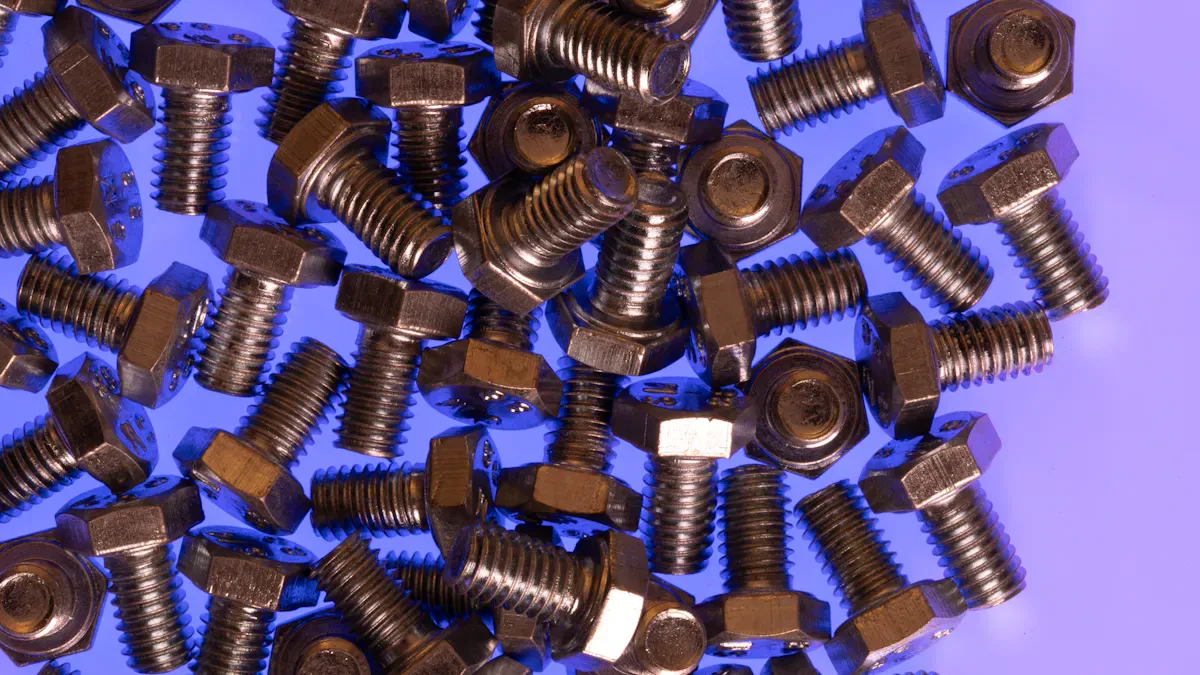

To install u-bolts on a ROHN 20 tower, a technician gathers ASTM A325 u-bolt hardware, the right tools, and safety equipment. They follow all safety protocols, remove old u bolt assemblies, and inspect the tower joints for signs of damage or corrosion. During installation, they use a lining-up punch for precise bolt casting. Selecting custom fasteners from a reputable custom fasteners manufacturer ensures reliable performance and long-term stability. After tightening, the technician verifies the installation to confirm a secure fit.
Tools and Materials for U-bolt Replacement
Essential Tools for Install U-bolts
Wrenches and sockets
Technicians use a set of wrenches and sockets to remove and install U-bolts on the tower. These tools fit the nuts and bolts securely, which helps prevent rounding or slipping during tightening.
Torque wrench
A torque wrench ensures each U-bolt receives the correct amount of force. Proper torque prevents both over-tightening and under-tightening, which can compromise the tower’s structural integrity.
10-inch lining-up punch
A 10-inch lining-up punch helps align holes in the tower sections. This tool allows precise placement of U-bolts, making the installation process smoother and safer.
Screwdrivers
Screwdrivers assist with removing or installing any additional hardware attached to the tower joints. They also help with minor adjustments during the U-bolt replacement process.
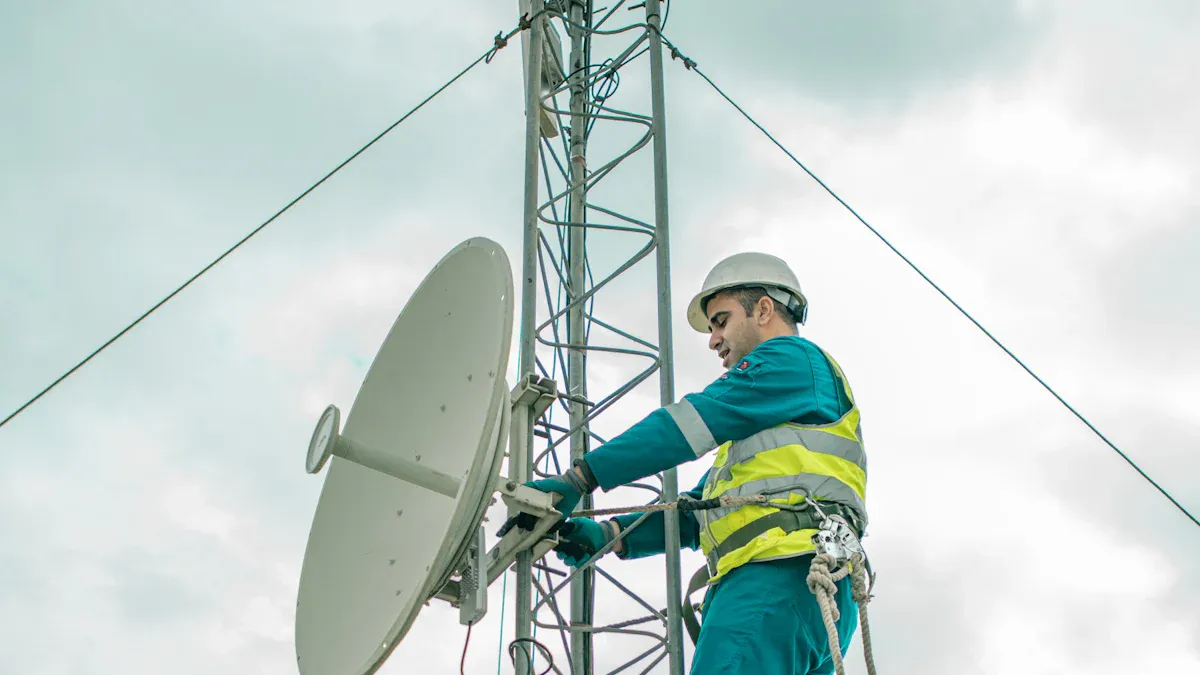
Safety gear (gloves, hard hat, harness)
Safety gear protects technicians while they work on the tower. Gloves shield hands from sharp edges, a hard hat guards against falling objects, and a harness prevents falls from height.
Tip: Always inspect safety gear before climbing the tower. Replace any worn or damaged equipment immediately.
U-bolt Specifications for ROHN 20 Tower
ASTM A325 standard U-bolts and nuts
U-bolts and nuts must meet ASTM A325 standards for strength and durability. This standard ensures the hardware can withstand the stresses placed on the tower.
Correct size and type
Selecting the correct size and type of U-bolt is critical for a secure fit. The table below outlines typical specifications for U-bolts used on ROHN towers:
| Specification | Details |
|---|---|
| Type | U-Bolt |
| Model | ROHN JR45A |
| Zinc Plated | Yes |
| Bolt Diameter | 0.250 in. |
| Leg Spacing | 1.250 in. |
| Depth | 2.250 in. |
| Width | 1.250 in. |
| Application | ROHN 25 and 45 tower legs |
| Included | 2 Nuts |
Material and finish considerations
Material and finish play a key role in the longevity of U-bolts on a tower. Hot dip galvanized U-bolts offer superior corrosion resistance, which is essential for outdoor installations.
| Material | Finish |
|---|---|
| U-bolts | Hot Dip Galvanized |
Additional Hardware and Supplies
Nuts, washers, and nut locking devices
Technicians should use new nuts and washers with each U-bolt installation. Nut locking devices, such as lock washers or nylon-insert nuts, help prevent loosening caused by vibration or wind on the tower.
Lubricants and anti-seize compounds
Applying lubricants or anti-seize compounds to threads makes future maintenance easier. These products also help protect the hardware from corrosion, especially in harsh weather conditions.
Note: Using the right tools and materials ensures the tower remains stable and safe for years to come.
Safety Precautions Before U-bolt Installation
Personal Protective Equipment
Gloves
Technicians wear gloves to protect their hands from sharp edges and rough surfaces on the tower. Gloves also provide insulation against cold weather and improve grip when handling U-bolts and tools.
Hard hat
A hard hat shields the head from falling objects and accidental bumps. Every person working near or on the tower must wear a hard hat at all times to reduce the risk of head injuries.
Safety harness
A safety harness prevents falls from height. Workers secure the harness to an approved anchor point on the tower before climbing. This equipment remains essential for anyone performing installation or replacement tasks above ground level.
Tip: Inspect all personal protective equipment before use. Replace any item that shows signs of wear or damage.
Preparing the Work Area
Clearing the site
A clean and organized work area reduces the risk of accidents. Workers remove debris, tools, and unnecessary materials from the base of the tower. They ensure that all equipment and hardware, including U-bolts, are prepared and accessible before starting the installation.
Weather and environmental checks
Technicians check weather conditions before beginning work. They wear appropriate clothing for the environment, such as heavy coats and gloves in winter. Portable lights improve visibility during early morning or evening installations. Workers avoid starting the installation if wet or windy weather threatens safety. They also confirm that the tower site is free from hazards like power lines or unstable ground.
- Prepare the following before installation:
- Appropriate clothing for the weather
- Portable lighting for low-visibility conditions
- All tools and materials within easy reach
- Assistance from others to manage equipment and safety
Working at Height Safely
Ladder and climbing safety
Only trained and experienced personnel should climb the tower. Workers use non-metal ladders to prevent electrical hazards. They wear rubber-soled shoes for better grip and avoid climbing during wet or windy conditions. Each person plans their ascent and descent carefully, maintaining three points of contact at all times.
Spotter or assistant requirements
A spotter or assistant supports the technician during installation. This person manages tools, observes for hazards, and provides immediate help if needed. The team assigns specific roles to each member before starting work. They also inform the local power company about the installation to ensure site safety and receive guidance if the tower stands near power lines.
- Assign tasks to each team member.
- Avoid working near power lines.
- Contact the power company for advice if necessary.
- Move away from the tower if any assembly begins to fall.
- In case of electrical accidents, use a dry object to assist victims.
Note: Safety remains the top priority during every stage of U-bolt installation on the tower.
Removing Old U-bolts for Replacement
Accessing and Identifying U-bolts
Locating U-bolts on the ROHN 20 tower
Technicians begin the removal process by identifying the location of each U-bolt on the ROHN 20 tower. Most U-bolts secure the joints between tower sections or attach accessories to the main structure. They inspect the tower visually, starting from the base and moving upward, to ensure no hardware is missed. A checklist helps track each U-bolt that requires attention.
Positioning for safe removal
Safety remains critical when accessing U-bolts for removal. Workers position themselves securely on the tower, using approved climbing gear and anchor points. They maintain three points of contact at all times. A spotter on the ground monitors the technician’s movements and provides assistance if needed. Before starting, the team confirms that the work area is clear of obstacles and hazards.
Tip: Always double-check harness connections and anchor points before climbing the tower for hardware removal.
Loosening and Removing U-bolts
Proper tool usage
Technicians select the correct wrench or socket size for each U-bolt. They use a torque wrench to loosen nuts evenly, preventing damage to the tower joints. A 10-inch lining-up punch assists with stubborn bolts by aligning holes and providing leverage. Workers avoid using excessive force, which can deform the tower structure.
Handling rusted or seized bolts
Rusted or seized bolts present a challenge during removal. Technicians apply penetrating oil to the threads and allow it to soak for several minutes. If the bolt remains stuck, they use a breaker bar or impact wrench for additional torque. In extreme cases, cutting tools may be necessary. Workers take care not to damage the tower or surrounding hardware during this process.
| Problem | Solution |
|---|---|
| Rusted bolts | Penetrating oil |
| Seized bolts | Breaker bar/Impact wrench |
| Damaged threads | Cutting tools |
Disposing of Old Hardware
Environmental considerations
Proper disposal of old hardware protects the environment. Technicians collect all removed bolts, nuts, and washers in a designated container. They separate recyclable materials from general waste. Local recycling centers accept most metal components from tower maintenance projects.
Reuse vs. replacement
Workers evaluate each removed U-bolt for possible reuse. If the hardware shows signs of corrosion, wear, or damage, they opt for replacement with new ASTM A325 standard components. Reusing compromised hardware can jeopardize the tower’s stability. The team documents all replacements for future reference.
Note: Always prioritize new hardware for critical tower joints to ensure long-term safety and reliability.
Inspecting and Preparing Tower Joints
Checking for Damage and Corrosion
Signs of corrosion
Technicians inspect each tower joint for visible signs of corrosion before installing new hardware. Rust, discoloration, and pitting often appear where moisture collects. They pay close attention to areas around bolt holes and splices. The following table outlines common factors that influence corrosion at tower joints:
| Factor Influencing Corrosion | Description |
|---|---|
| Bolt Spacing | Minimum spacing and end/edge distances reduce susceptibility to crevice corrosion. |
| Splice Thickness | Thicker splices are less prone to crevice corrosion. |
| Bolt Preloading | Preloaded bolts decrease the likelihood of crevice corrosion. |
| Surface Treatment | Treated surfaces are less susceptible to corrosion compared to untreated ones. |
Technicians look for crevice corrosion, especially where old hardware pressed against untreated metal. They also check for flaking paint or powdery residue, which can signal deeper problems.
Assessing structural integrity
After identifying corrosion, technicians assess the structural integrity of each tower joint. They check for cracks, bent metal, or loose connections. Any deformation or excessive movement indicates a weakened structure. If they find severe damage, they consult a structural engineer before proceeding. Safety remains the top priority during this inspection.
Cleaning and Surface Preparation
Removing debris
Proper cleaning ensures a secure fit for new hardware. Technicians remove all dirt, rust, and old paint from the joint surfaces. They use a power wire brush to clean areas where old bolts and nuts were removed. This step exposes bare metal and prepares the surface for further treatment.
Applying anti-corrosion treatments
After cleaning, technicians apply two coats of primer and paint to the exposed metal. Each coat must cure for at least 24 hours. This process protects the tower from future corrosion. When installing new rotor plates, they ensure these parts are fully primed and painted before attachment. These steps extend the service life of the tower and reduce maintenance needs.
Tip: Allow each coat of primer and paint to dry completely before proceeding with installation.
Ensuring Fit for Install U-bolts
Alignment of tower sections
Technicians verify that all tower sections align correctly before installing new hardware. Misalignment can cause stress on the joints and reduce the effectiveness of the connection. They use a lining-up punch to adjust the holes and ensure a precise fit. Proper alignment supports the overall stability of the tower.
Compatibility of new hardware
Before installing the u-bolt, technicians confirm that the new hardware matches the tower’s specifications. They check the diameter, length, and thread type of each bolt. Using compatible hardware prevents future issues and guarantees a secure installation. If any part does not fit, they select a replacement that meets the required standards.
Step-by-Step Guide to Install U-bolts

Positioning and Aligning U-bolts
Correct placement on tower joints
Technicians begin by identifying the exact location for each u-bolt on the tower. They reference the tower’s assembly drawings to confirm the correct joint. Each u-bolt must sit flush against the tower leg or brace. Proper placement ensures that the hardware supports the tower’s structural load. Technicians check that the u-bolt does not interfere with other components or accessories. They avoid placing u-bolts near areas with visible damage or corrosion.
Using a lining-up punch for alignment
A lining-up punch helps technicians align the holes in the tower sections. They insert the punch through the bolt holes to adjust the position of the metal parts. This tool allows precise alignment before installing the u-bolts. Technicians confirm that the holes match up perfectly. Misalignment can cause stress on the joint and reduce the effectiveness of the connection. They remove the punch only after the u-bolt slides smoothly into place.
Securing and Tightening U-bolts
Hand-tightening sequence
Technicians start by threading the nuts onto the u-bolt by hand. They tighten each nut evenly, alternating sides to distribute pressure across the joint. This sequence prevents the tower section from shifting during installation. Hand-tightening also allows technicians to feel for any resistance or misalignment. If the nuts do not turn smoothly, they check for debris or damaged threads.
Using a torque wrench for final tightening
After hand-tightening, technicians use a torque wrench to secure the u-bolts to the specified torque value. They follow the manufacturer’s recommendations for torque settings. Proper torque ensures that the u-bolts hold the tower sections together without overstressing the metal. Over-tightening can deform the tower leg, while under-tightening may lead to movement or instability. Technicians check each nut with the torque wrench to confirm uniform tightness.
Installing nut locking devices
Nut locking devices prevent nuts from loosening due to vibration or wind. Technicians select the most effective device for the tower application. The table below outlines common options for securing u-bolts on ROHN 20 towers:
| Nut Locking Device | Description |
|---|---|
| Lock Washers | Standard device supplied with ROHN RSL tower kits. |
| Pal Nuts (P) | Alternative device available by adding a suffix to the part number. |
| Anco Nuts (A) | Alternative device available by adding a suffix to the part number. |
| Tri-Loc Nuts (T) | Alternative device available by adding a suffix to the part number. |
Technicians often use lock washers for standard installations. For added security, they may choose pal nuts, Anco nuts, or Tri-Loc nuts. Each device provides a different level of resistance to loosening. The choice depends on the tower’s location and exposure to vibration.
Tip: Always verify that the nut locking device matches the hardware and tower specifications before completing the installation.
Checking Alignment and Stability
Verifying tower section fit
After tightening the u-bolts, technicians inspect the fit between tower sections. They look for gaps or uneven surfaces at the joints. A proper fit indicates that the u-bolts are installed correctly. Technicians use a straightedge or measuring tape to check alignment. If they find any misalignment, they loosen the nuts and adjust the position before retightening.
Inspecting for movement or gaps
Technicians test the stability of the tower by gently moving the connected sections. They watch for any movement or shifting at the joints. Even a small gap can signal an issue with the installation. If the tower sections move, technicians recheck the alignment and retighten the u-bolts. They repeat this process until the tower remains stable and secure.
Note: Regular inspection after installation helps maintain tower safety and performance.
Common Mistakes and Troubleshooting During Replacement
Frequent Errors When You Install U-bolts
Over-tightening or under-tightening
Many technicians make the mistake of applying too much or too little force when tightening U-bolts. Over-tightening can deform the tower legs or damage the threads, which weakens the joint. Under-tightening leaves the connection loose, allowing movement that can lead to instability. Each U-bolt must be tightened to the manufacturer’s recommended torque. Using a torque wrench helps achieve the correct tension and prevents these common errors.
Misalignment of U-bolts
Misalignment often occurs when technicians rush the installation process or fail to use a lining-up punch. If the U-bolts do not sit flush against the tower joints, the load distributes unevenly. This misalignment can cause stress points and reduce the overall strength of the tower. Careful alignment before tightening ensures a secure and stable connection.
Troubleshooting Installation Issues
Dealing with stripped threads
Stripped threads prevent proper tightening and compromise the safety of the tower. When technicians encounter stripped threads, they should remove the damaged U-bolt and replace it with a new one that meets ASTM A325 standards. Applying anti-seize compound to the threads during installation can help prevent future stripping. If the tower joint itself has damaged threads, technicians may need to use a thread repair kit or consult a structural specialist.
Addressing persistent instability
Persistent instability after installation signals a deeper issue with the tower assembly. Technicians can follow these steps to correct alignment and restore stability:
- Slack the rope slightly and loosen all splice bolts to allow for adjustment.
- Check that the tower does not wobble freely while the bolts remain loose.
- Gradually add tension to the rope, inspecting the tower’s alignment after each adjustment.
- Once the tower stands close to vertical, tighten all splice bolts, starting from the lower sections and moving upwards.
This method helps ensure the tower remains stable and properly aligned after technicians install u-bolts.
Tip: Always inspect the tower’s alignment after tightening hardware. Early detection of movement prevents larger problems later.
Preventing Future Problems
Regular inspection routines
Routine inspections help catch issues before they become serious. Technicians should check all U-bolts and tower joints for signs of corrosion, movement, or wear at least twice a year. Early identification of problems allows for timely repairs and extends the life of the tower.
Using quality hardware
Quality hardware plays a critical role in tower safety. Technicians should always use U-bolts and nuts that meet ASTM A325 standards. Inferior hardware increases the risk of failure and can lead to costly repairs. Selecting the right materials and finishes ensures the tower withstands harsh weather and heavy loads.
Note: Consistent maintenance and the use of approved hardware protect both the tower and the people who rely on its stability.
Final Checks and Maintenance After U-bolt Replacement
Verifying Installation Security
Double-checking tightness
Technicians always confirm the tightness of every U-bolt after installation. They use a calibrated torque wrench to check each nut against the recommended specification. This step prevents movement in the tower structure and ensures that the hardware remains secure. A systematic approach helps avoid missed connections. Technicians often create a checklist to track each joint during the final inspection.
Inspecting for proper fit
After tightening, technicians inspect the fit of the U-bolts. They look for gaps between the hardware and the tower leg. A proper fit means the U-bolt sits flush and supports the joint without causing stress points. Technicians use a straightedge to verify alignment. If they find any irregularities, they adjust the hardware before completing the process. This careful inspection helps maintain the integrity of the tower.
Tip: Always perform a visual and tactile check after tightening. Small misalignments can lead to larger problems over time.
Ongoing Maintenance Tips
Scheduled inspections
Routine inspections keep the tower in optimal condition. Technicians schedule checks at least twice a year. During each inspection, they examine all U-bolts, nuts, and washers for signs of corrosion or loosening. They record any changes in the tower’s structure and address issues promptly. Regular maintenance extends the life of the hardware and prevents costly repairs.
Lubrication and corrosion prevention
Technicians apply lubricants to exposed threads during each scheduled inspection. This practice reduces friction and protects against rust. Anti-corrosion compounds provide an extra layer of defense, especially in harsh environments. Technicians focus on joints most exposed to moisture. Consistent application of these products helps preserve the tower’s stability.
| Maintenance Task | Frequency | Purpose |
|---|---|---|
| Visual Inspection | Twice yearly | Detect wear and corrosion |
| Lubrication | Twice yearly | Prevent rust and seizing |
| Corrosion Treatment | As needed | Extend hardware lifespan |
Note: Preventive maintenance reduces the risk of unexpected failures and supports long-term tower safety.
Record Keeping for U-bolt Installations
Documenting installation dates
Accurate records help technicians track the history of each replacement. They log the installation date for every U-bolt in a maintenance database or physical logbook. This documentation allows for easy reference during future inspections. Technicians also note the type of hardware used and the location on the tower.
Tracking hardware replacements
Technicians maintain a record of all hardware replacements. They include details such as the reason for replacement, the condition of the removed hardware, and the specifications of the new components. This information supports warranty claims and helps identify patterns of wear. Organized records ensure that the tower receives timely maintenance and that technicians can plan future upgrades efficiently.
Callout: Good record keeping improves safety, simplifies troubleshooting, and supports compliance with industry standards.
- Technicians follow a clear process to install u-bolts on a ROHN 20 tower.
- They select ASTM A325 hardware, use proper tools, and inspect each joint for damage.
- Regular maintenance and strict safety protocols protect both the structure and the crew.
Secure installation ensures the tower remains stable and reliable for years. Prioritizing quality hardware and routine inspections supports long-term performance.
FAQ
What size U-bolts fit a ROHN 20 tower?
Technicians typically use U-bolts with a 0.25-inch diameter and 1.25-inch leg spacing. Always check the tower’s assembly manual for the exact specifications.
How often should U-bolts on a tower be inspected?
They should inspect U-bolts at least twice a year. More frequent checks may be necessary in harsh weather regions or after severe storms.
Can old U-bolts be reused after removal?
Technicians should not reuse U-bolts that show signs of corrosion, wear, or thread damage. New ASTM A325 hardware ensures safety and reliability.
What torque value should be used for tightening U-bolts?
The manufacturer’s manual provides the correct torque value. Using a calibrated torque wrench guarantees proper tension and prevents over-tightening.
What safety gear is required for U-bolt installation?
Workers must wear gloves, a hard hat, and a full-body safety harness. These items protect against falls and injuries during installation.
How can a technician prevent U-bolts from loosening?
They should use nut locking devices such as lock washers or nylon-insert nuts. Regular inspections also help detect and correct loosening early.
What should be done if a U-bolt does not fit properly?
The technician should stop installation and verify the hardware size and type. Only compatible U-bolts should be used to maintain tower integrity.
Is lubrication necessary for U-bolt installation?
Applying anti-seize compound or lubricant to threads helps prevent rust and eases future maintenance. This step is especially important in wet climates.