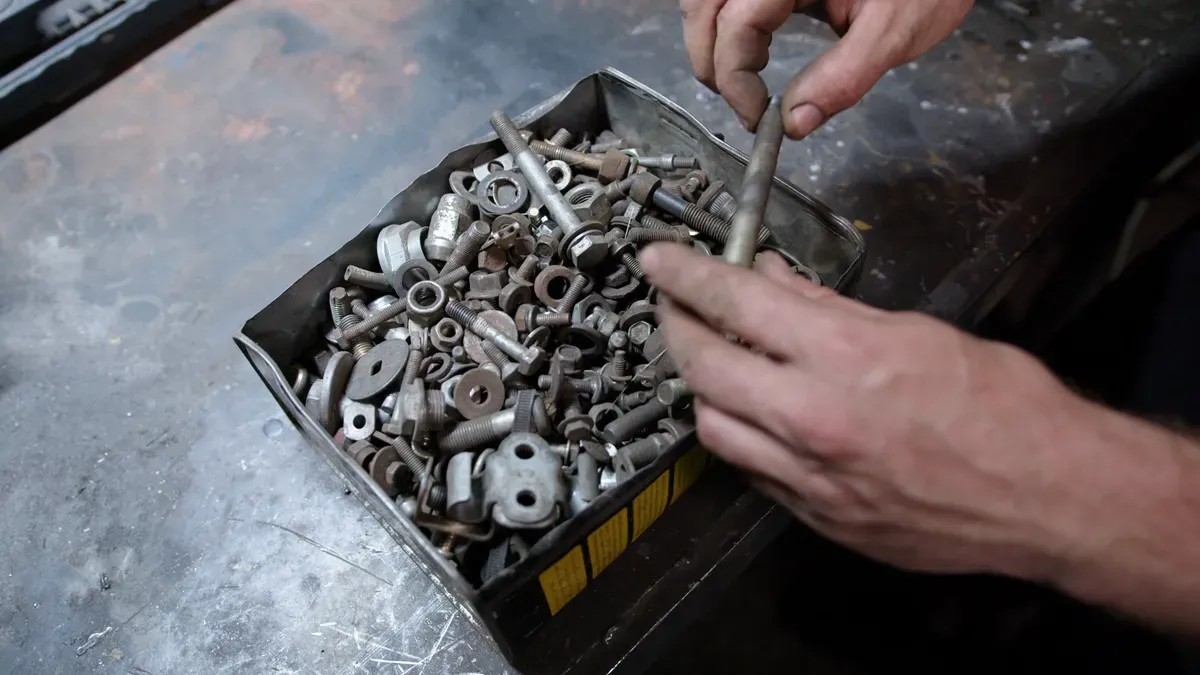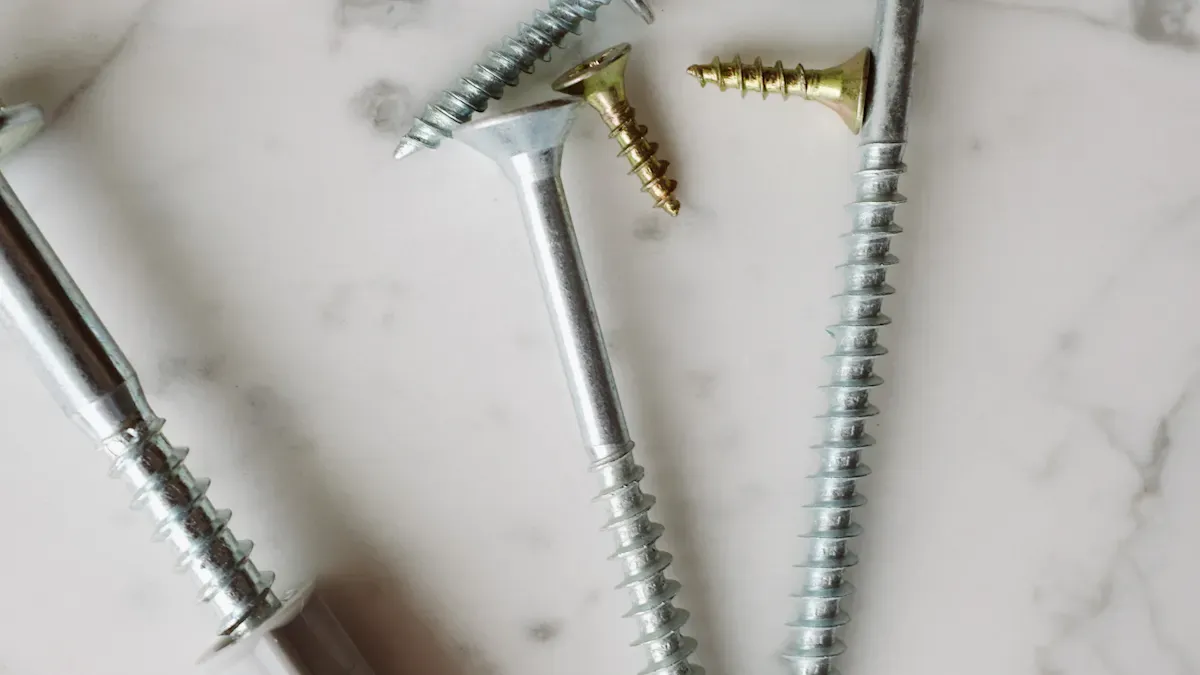

Для установки U-образных болтов на вышке ROHN 20 специалист подготавливает крепежные изделия (U-образные болты) по стандарту ASTM A325, необходимые инструменты и средства индивидуальной защиты. Он соблюдает все правила безопасности, демонтирует старые U-образный болт узлы и проверяет стыки вышки на наличие повреждений или коррозии. В процессе установки для точного позиционирования используется литье болтов. Выбор нестандартные крепежные элементы от авторитетного производитель крепежных изделий на заказ обеспечивает надежную работу и долговременную стабильность. После затяжки специалист проверяет установку, чтобы убедиться в надежной фиксации.
Инструменты и материалы для замены U-образных болтов
Основные инструменты для установки U-образных болтов
Гаечные ключи и головки
Специалисты используют набор гаечных ключей и головок для демонтажа и установки U-образных болтов на вышке. Эти инструменты надежно подходят к гайкам и болтам, что помогает предотвратить срыв граней или проскальзывание при затяжке.
Динамический ключ
Динамический ключ гарантирует, что каждый U-образный болт получает правильное усилие затяжки. Правильный момент затяжки предотвращает как чрезмерную, так и недостаточную затяжку, которые могут нарушить структурную целостность вышки.
Направляющий штифт длиной 10 дюймов (25,4 см)
Направляющий штифт длиной 10 дюймов помогает совместить отверстия в секциях вышки. Этот инструмент обеспечивает точное размещение U-образных болтов, делая процесс установки более плавным и безопасным.
Отвертки
Отвертки помогают удалить или установить любые дополнительные крепежные элементы на стыках вышки. Они также полезны для мелких регулировок в процессе замены U-образных болтов.
Средства защиты (перчатки, каска, страховочная привязь)
Средства защиты оберегают специалистов во время работы на вышке. Перчатки защищают руки от острых кромок, каска — от падающих предметов, а страховочная привязь предотвращает падение с высоты.
Совет: Всегда проверяйте средства защиты перед подъемом на вышку. Немедленно замените любое изношенное или поврежденное снаряжение.
Технические характеристики U-образных болтов для вышки ROHN 20
U-образные болты и гайки по стандарту ASTM A325
U-образные болты и гайки должны соответствовать стандарту ASTM A325 по прочности и долговечности. Этот стандарт гарантирует, что крепеж выдержит нагрузки, действующие на вышку.
Правильный размер и тип
Выбор правильного размера и типа U-образного болта критически важен для надежной фиксации. В таблице ниже приведены типовые характеристики U-образных болтов, используемых на вышках ROHN:
| Спецификация | Детали |
|---|---|
| Тип | U-образный болт |
| Модель | ROHN JR45A |
| Цинкование | Да |
| Диаметр болта | 0,250 дюйма (6,35 мм). |
| Расстояние между ножками | 1,250 дюйма (31,75 мм). |
| Глубина | 2,250 дюйма (57,15 мм). |
| Ширина | 1,250 дюйма (31,75 мм). |
| Применение | Стойки вышки ROHN 25 и 45 |
| В комплекте | 2 гайки |
Материал и покрытие
Материал и покрытие играют ключевую роль в долговечности U-образных болтов на вышке. Горячее цинкование U-образные болты с горячим цинкованием обладают превосходной коррозионной стойкостью, что крайне важно для наружных установок.
| Материал | Покрытие |
|---|---|
| U-образные болты | Горячее цинкование |
Дополнительные крепежные элементы и расходные материалы
Гайки, шайбы и устройства для фиксации гаек
Специалисты должны использовать новые гайки и шайбы при каждой установке U-образного болта. Устройства для фиксации гаек, такие как стопорные шайбы или гайки с нейлоновым кольцом, помогают предотвратить ослабление из-за вибрации или ветровой нагрузки на вышке.
Смазочные материалы и антизадирные составы
Нанесение смазки или антизадирного состава на резьбу облегчает будущее техническое обслуживание. Эти продукты также помогают защитить крепеж от коррозии, особенно в суровых погодных условиях.
Примечание: Использование правильных инструментов и материалов гарантирует стабильность и безопасность вышки на долгие годы.
Меры безопасности перед установкой U-образных болтов
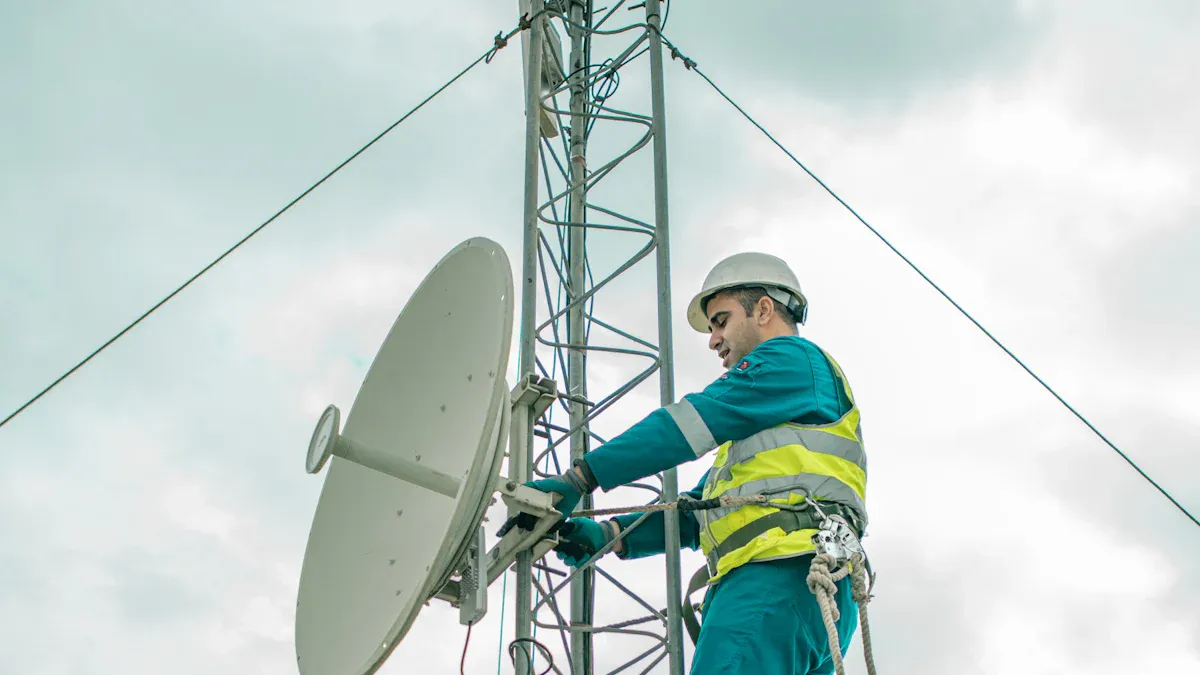
Средства индивидуальной защиты
Сверление точного отверстия является основой надежной точки крепления. Диаметр и глубина отверстия должны соответствовать спецификациям производителя для конкретного используемого анкера. Этот шаг является фундаментальным при установке забивных анкеров.
Специалисты надевают перчатки, чтобы защитить руки от острых кромок и шероховатых поверхностей вышки. Перчатки также обеспечивают теплоизоляцию в холодную погоду и улучшают сцепление при работе с U-образными болтами и инструментами.
Защитная каска
Защитная каска оберегает голову от падающих предметов и случайных ударов. Каждый, кто работает вблизи или на вышке, должен постоянно носить каску, чтобы снизить риск травм головы.
Страховочная привязь
Страховочная привязь предотвращает падение с высоты. Работники закрепляют привязь на утвержденной точке анкеровки на вышке перед подъемом. Это снаряжение остается обязательным для любого, кто выполняет монтажные или ремонтные работы выше уровня земли.
Совет: Проверяйте все средства индивидуальной защиты перед использованием. Замените любой предмет, на котором видны признаки износа или повреждения.
Подготовка рабочей зоны
Расчистка площадки
Чистая и организованная рабочая зона снижает риск несчастных случаев. Рабочие убирают мусор, инструменты и ненужные материалы от основания вышки. Они обеспечивают подготовку и доступность всего оборудования и крепежа, включая U-образные болты, до начала монтажа.
Проверка погодных и окружающих условий
Специалисты проверяют погодные условия перед началом работ. Они надевают подходящую для условий одежду, например, теплые куртки и перчатки зимой. Переносные фонари улучшают видимость при установке ранним утром или вечером. Рабочие избегают начинать монтаж, если дождливая или ветреная погода угрожает безопасности. Они также убеждаются, что на площадке вышки отсутствуют опасности, такие как линии электропередач или неустойчивый грунт.
- Подготовьте следующее перед установкой:
- Соответствующую погоде одежду
- Переносное освещение для условий плохой видимости
- Все инструменты и материалы в легкой доступности
- Помощь других в управлении оборудованием и обеспечении безопасности
Безопасная работа на высоте
Безопасность при использовании лестниц и подъеме
Только обученный и опытный персонал должен подниматься на башню. Работники используют неметаллические лестницы для предотвращения опасности поражения электрическим током. Они носят обувь на резиновой подошве для лучшего сцепления и избегают подъема во время влажных или ветреных условий. Каждый человек тщательно планирует свой подъем и спуск, постоянно сохраняя три точки опоры.
Требования к наблюдателю или помощнику
Наблюдатель или помощник поддерживает техника во время установки. Этот человек управляет инструментами, следит за опасностями и оказывает немедленную помощь при необходимости. Команда распределяет конкретные роли между каждым членом до начала работ. Они также информируют местную энергетическую компанию об установке, чтобы обеспечить безопасность на месте и получить рекомендации, если башня расположена рядом с линиями электропередач.
- Распределите задачи между каждым членом команды.
- Избегайте работы вблизи линий электропередач.
- При необходимости обратитесь в энергетическую компанию за консультацией.
- Отойдите от башни, если какая-либо сборка начнет падать.
- В случае электротравм используйте сухой предмет для оказания помощи пострадавшим.
Примечание: Безопасность остается главным приоритетом на каждом этапе установки U-образных болтов на башне.
Удаление старых U-образных болтов для замены
Доступ и идентификация U-образных болтов
Поиск U-образных болтов на башне ROHN 20
Техники начинают процесс удаления с определения местоположения каждого U-образного болта на башне ROHN 20. Большинство U-образных болтов закрепляют соединения между секциями башни или крепят аксессуары к основной конструкции. Они визуально осматривают башню, начиная с основания и продвигаясь вверх, чтобы убедиться, что не пропущено ни одно оборудование. Контрольный список помогает отслеживать каждый U-образный болт, требующий внимания.
Позиционирование для безопасного удаления
Безопасность остается критически важной при доступе к U-образным болтам для их удаления. Работники надежно располагаются на башне, используя одобренное снаряжение для подъема и точки крепления. Они постоянно сохраняют три точки опоры. Наблюдатель на земле следит за движениями техника и при необходимости оказывает помощь. Перед началом команда убеждается, что рабочая зона свободна от препятствий и опасностей.
Совет: Всегда дважды проверяйте соединения страховочной системы и точки крепления перед подъемом на башню для удаления оборудования.
Ослабление и удаление U-образных болтов
Правильное использование инструментов
Техники подбирают правильный размер гаечного ключа или головки для каждого U-образного болта. Они используют динамометрический ключ для равномерного ослабления гаек, предотвращая повреждение соединений башни. 10-дюймовый установочный штифт помогает с упрямыми болтами, совмещая отверстия и обеспечивая рычаг. Работники избегают использования чрезмерной силы, которая может деформировать конструкцию башни.
Обращение с заржавевшими или заклинившими болтами
Заржавевшие или заклинившие болты представляют сложность при удалении. Техники наносят проникающую смазку на резьбу и дают ей впитаться в течение нескольких минут. Если болт остается застрявшим, они используют силовой ключ или ударный гайковерт для дополнительного крутящего момента. В крайних случаях могут потребоваться режущие инструменты. Работники стараются не повредить башню или окружающее оборудование в этом процессе.
| Проблема | Решение |
|---|---|
| Заржавевшие болты | Проникающая смазка |
| Заклинившие болты | Силовой ключ/Ударный гайковерт |
| Поврежденная резьба | Режущие инструменты |
Утилизация старого оборудования
Экологические соображения
Правильная утилизация старого оборудования защищает окружающую среду. Техники собирают все удаленные болты, гайки и шайбы в предназначенный контейнер. Они отделяют перерабатываемые материалы от общего мусора. Местные центры переработки принимают большинство металлических компонентов от проектов обслуживания башен.
Повторное использование против замены
Работники оценивают каждый удаленный U-образный болт на возможность повторного использования. Если оборудование показывает признаки коррозии, износа или повреждения, они выбирают замену на новые компоненты стандарта ASTM A325. Повторное использование поврежденного оборудования может поставить под угрозу устойчивость башни. Команда документирует все замены для будущего использования.
Примечание: Всегда отдавайте приоритет новому оборудованию для критических соединений башни, чтобы обеспечить долгосрочную безопасность и надежность.
Осмотр и подготовка соединений башни
Проверка на повреждения и коррозию
Признаки коррозии
Техники осматривают каждое соединение башни на видимые признаки коррозии перед установкой нового оборудования. Ржавчина, изменение цвета и точечная коррозия часто появляются там, где скапливается влага. Они уделяют пристальное внимание областям вокруг отверстий под болты и стыков. В следующей таблице описаны общие факторы, влияющие на коррозию в соединениях башни:
| Фактор, влияющий на коррозию | Описание |
|---|---|
| Расстояние между болтами | Минимальное расстояние и дистанции от краев/торцов снижают восприимчивость к щелевой коррозии. |
| Толщина стыка | Более толстые стыки менее склонны к щелевой коррозии. |
| Предварительная нагрузка болтов | Предварительно нагруженные болты уменьшают вероятность щелевой коррозии. |
| Вид покрытия | Обработанные поверхности менее подвержены коррозии по сравнению с необработанными. |
Техники ищут щелевую коррозию, особенно там, где старое оборудование прижималось к необработанному металлу. Они также проверяют отслаивающуюся краску или порошкообразный осадок, которые могут сигнализировать о более глубоких проблемах.
Оценка структурной целостности
После выявления коррозии техники оценивают структурную целостность каждого соединения башни. Они проверяют наличие трещин, изогнутого металла или ослабленных соединений. Любая деформация или чрезмерное движение указывает на ослабленную структуру. Если они обнаруживают серьезные повреждения, они консультируются с инженером-строителем, прежде чем продолжить. Безопасность остается главным приоритетом во время этой проверки.
Очистка и подготовка поверхности
Удаление загрязнений
Правильная очистка обеспечивает надежную посадку нового оборудования. Техники удаляют всю грязь, ржавчину и старую краску с поверхностей соединений. Они используют механическую проволочную щетку для очистки областей, откуда были удалены старые болты и гайки. Этот шаг обнажает чистый металл и подготавливает поверхность для дальнейшей обработки.
Нанесение антикоррозионных покрытий
После очистки техники наносят два слоя грунтовки и краски на открытый металл. Каждый слой должен отверждаться не менее 24 часов. Этот процесс защищает башню от будущей коррозии. При установке новых роторных пластин они обеспечивают полную грунтовку и покраску этих деталей перед креплением. Эти шаги продлевают срок службы башни и снижают потребность в обслуживании.
Совет: Позвольте каждому слою грунтовки и краски полностью высохнуть, прежде чем приступать к установке.
Обеспечение соответствия для установки U-образных болтов
Alignment of tower sections
Technicians verify that all tower sections align correctly before installing new hardware. Misalignment can cause stress on the joints and reduce the effectiveness of the connection. They use a lining-up punch to adjust the holes and ensure a precise fit. Proper alignment supports the overall stability of the tower.
Compatibility of new hardware
Before installing the u-bolt, technicians confirm that the new hardware matches the tower’s specifications. They check the diameter, length, and thread type of each bolt. Using compatible hardware prevents future issues and guarantees a secure installation. If any part does not fit, they select a replacement that meets the required standards.
Step-by-Step Guide to Install U-bolts
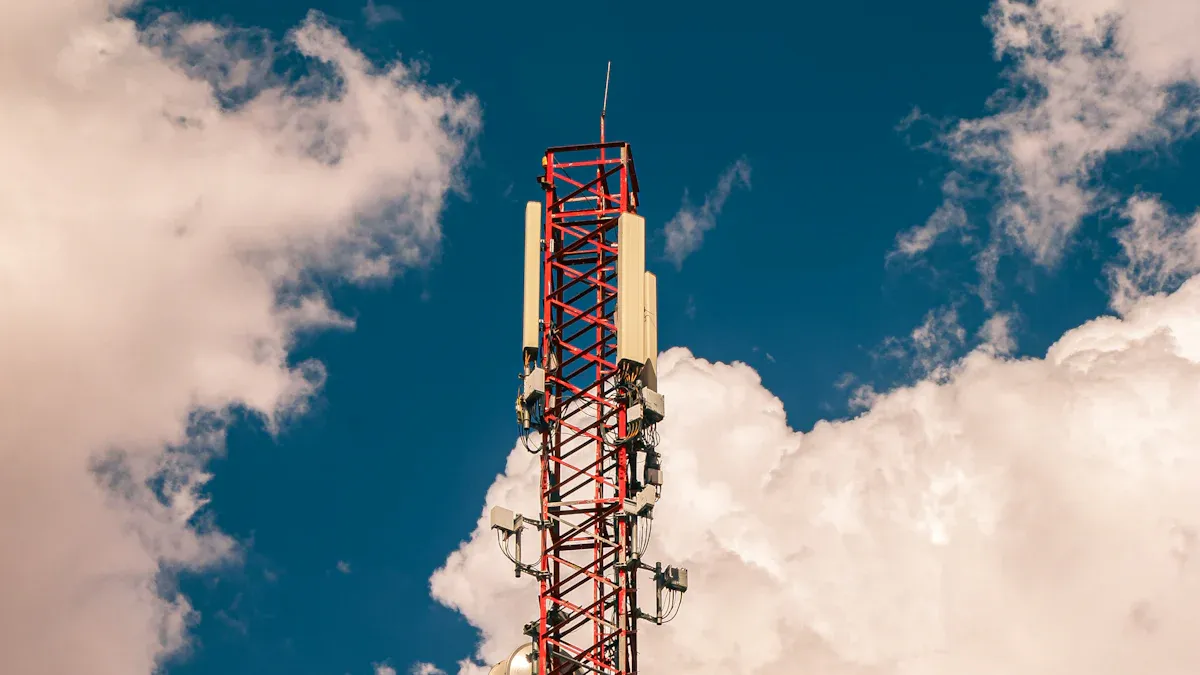
Positioning and Aligning U-bolts
Correct placement on tower joints
Technicians begin by identifying the exact location for each u-bolt on the tower. They reference the tower’s assembly drawings to confirm the correct joint. Each u-bolt must sit flush against the tower leg or brace. Proper placement ensures that the hardware supports the tower’s structural load. Technicians check that the u-bolt does not interfere with other components or accessories. They avoid placing u-bolts near areas with visible damage or corrosion.
Using a lining-up punch for alignment
A lining-up punch helps technicians align the holes in the tower sections. They insert the punch through the bolt holes to adjust the position of the metal parts. This tool allows precise alignment before installing the u-bolts. Technicians confirm that the holes match up perfectly. Misalignment can cause stress on the joint and reduce the effectiveness of the connection. They remove the punch only after the u-bolt slides smoothly into place.
Securing and Tightening U-bolts
Hand-tightening sequence
Technicians start by threading the nuts onto the u-bolt by hand. They tighten each nut evenly, alternating sides to distribute pressure across the joint. This sequence prevents the tower section from shifting during installation. Hand-tightening also allows technicians to feel for any resistance or misalignment. If the nuts do not turn smoothly, they check for debris or damaged threads.
Using a torque wrench for final tightening
After hand-tightening, technicians use a torque wrench to secure the u-bolts to the specified torque value. They follow the manufacturer’s recommendations for torque settings. Proper torque ensures that the u-bolts hold the tower sections together without overstressing the metal. Over-tightening can deform the tower leg, while under-tightening may lead to movement or instability. Technicians check each nut with the torque wrench to confirm uniform tightness.
Installing nut locking devices
Nut locking devices prevent nuts from loosening due to vibration or wind. Technicians select the most effective device for the tower application. The table below outlines common options for securing u-bolts on ROHN 20 towers:
| Nut Locking Device | Описание |
|---|---|
| Стопорные шайбы | Standard device supplied with ROHN RSL tower kits. |
| Pal Nuts (P) | Alternative device available by adding a suffix to the part number. |
| Anco Nuts (A) | Alternative device available by adding a suffix to the part number. |
| Tri-Loc Nuts (T) | Alternative device available by adding a suffix to the part number. |
Technicians often use lock washers for standard installations. For added security, they may choose pal nuts, Anco nuts, or Tri-Loc nuts. Each device provides a different level of resistance to loosening. The choice depends on the tower’s location and exposure to vibration.
Tip: Always verify that the nut locking device matches the hardware and tower specifications before completing the installation.
Checking Alignment and Stability
Verifying tower section fit
After tightening the u-bolts, technicians inspect the fit between tower sections. They look for gaps or uneven surfaces at the joints. A proper fit indicates that the u-bolts are installed correctly. Technicians use a straightedge or measuring tape to check alignment. If they find any misalignment, they loosen the nuts and adjust the position before retightening.
Inspecting for movement or gaps
Technicians test the stability of the tower by gently moving the connected sections. They watch for any movement or shifting at the joints. Even a small gap can signal an issue with the installation. If the tower sections move, technicians recheck the alignment and retighten the u-bolts. They repeat this process until the tower remains stable and secure.
Note: Regular inspection after installation helps maintain tower safety and performance.
Common Mistakes and Troubleshooting During Replacement
Frequent Errors When You Install U-bolts
Over-tightening or under-tightening
Many technicians make the mistake of applying too much or too little force when tightening U-bolts. Over-tightening can deform the tower legs or damage the threads, which weakens the joint. Under-tightening leaves the connection loose, allowing movement that can lead to instability. Each U-bolt must be tightened to the manufacturer’s recommended torque. Using a torque wrench helps achieve the correct tension and prevents these common errors.
Misalignment of U-bolts
Misalignment often occurs when technicians rush the installation process or fail to use a lining-up punch. If the U-bolts do not sit flush against the tower joints, the load distributes unevenly. This misalignment can cause stress points and reduce the overall strength of the tower. Careful alignment before tightening ensures a secure and stable connection.
Troubleshooting Installation Issues
Dealing with stripped threads
Stripped threads prevent proper tightening and compromise the safety of the tower. When technicians encounter stripped threads, they should remove the damaged U-bolt and replace it with a new one that meets ASTM A325 standards. Applying anti-seize compound to the threads during installation can help prevent future stripping. If the tower joint itself has damaged threads, technicians may need to use a thread repair kit or consult a structural specialist.
Addressing persistent instability
Persistent instability after installation signals a deeper issue with the tower assembly. Technicians can follow these steps to correct alignment and restore stability:
- Slack the rope slightly and loosen all splice bolts to allow for adjustment.
- Check that the tower does not wobble freely while the bolts remain loose.
- Gradually add tension to the rope, inspecting the tower’s alignment after each adjustment.
- Once the tower stands close to vertical, tighten all splice bolts, starting from the lower sections and moving upwards.
This method helps ensure the tower remains stable and properly aligned after technicians install u-bolts.
Совет: Always inspect the tower’s alignment after tightening hardware. Early detection of movement prevents larger problems later.
Preventing Future Problems
Regular inspection routines
Routine inspections help catch issues before they become serious. Technicians should check all U-bolts and tower joints for signs of corrosion, movement, or wear at least twice a year. Early identification of problems allows for timely repairs and extends the life of the tower.
Using quality hardware
Quality hardware plays a critical role in tower safety. Technicians should always use U-bolts and nuts that meet ASTM A325 standards. Inferior hardware increases the risk of failure and can lead to costly repairs. Selecting the right materials and finishes ensures the tower withstands harsh weather and heavy loads.
Примечание: Consistent maintenance and the use of approved hardware protect both the tower and the people who rely on its stability.
Final Checks and Maintenance After U-bolt Replacement
Verifying Installation Security
Double-checking tightness
Technicians always confirm the tightness of every U-bolt after installation. They use a откалиброванный динамометрический ключ to check each nut against the recommended specification. This step prevents movement in the tower structure and ensures that the hardware remains secure. A systematic approach helps avoid missed connections. Technicians often create a checklist to track each joint during the final inspection.
Проверка правильности посадки
После затяжки техники проверяют посадку U-образных болтов. Они ищут зазоры между крепежом и стойкой башни. Правильная посадка означает, что U-образный болт плотно прилегает и поддерживает соединение, не создавая точек напряжения. Техники используют линейку для проверки соосности. При обнаружении отклонений они регулируют крепеж перед завершением процесса. Эта тщательная проверка помогает сохранить целостность башни.
Совет: Всегда выполняйте визуальный и тактильный контроль после затяжки. Незначительные перекосы могут со временем привести к серьезным проблемам.
Советы по текущему обслуживанию
Плановые проверки
Регулярные проверки поддерживают башню в оптимальном состоянии. Техники планируют проверки не реже двух раз в год. Во время каждой проверки они осматривают все U-образные болты, гайки и шайбы на признаки коррозии или ослабления. Они фиксируют любые изменения в структуре башни и оперативно устраняют проблемы. Регулярное обслуживание продлевает срок службы крепежа и предотвращает дорогостоящий ремонт.
Смазка и защита от коррозии
Во время каждой плановой проверки техники наносят смазку на открытые резьбы. Эта практика снижает трение и защищает от ржавчины. Антикоррозионные составы обеспечивают дополнительный защитный слой, особенно в суровых условиях. Техники уделяют особое внимание соединениям, наиболее подверженным воздействию влаги. Последовательное применение этих продуктов помогает сохранить устойчивость башни.
| Задача по обслуживанию | Периодичность | Назначение |
|---|---|---|
| Визуальный осмотр | Два раза в год | Обнаружение износа и коррозии |
| Смазка | Два раза в год | Предотвращение ржавчины и заклинивания |
| Антикоррозионная обработка | По мере необходимости | Продление срока службы крепежа |
Примечание: Профилактическое обслуживание снижает риск внезапных отказов и способствует долгосрочной безопасности башни.
Ведение учета установок U-образных болтов
Документирование дат установки
Точные записи помогают техникам отслеживать историю каждой замены. Они заносят дату установки каждого U-образного болта в базу данных по обслуживанию или физический журнал. Эта документация позволяет легко обращаться к информации во время будущих проверок. Техники также отмечают тип использованного крепежа и его расположение на башне.
Отслеживание замен крепежа
Техники ведут запись всех замен крепежа. Они включают такие детали, как причина замены, состояние снятого крепежа и спецификации новых компонентов. Эта информация поддерживает гарантийные претензии и помогает выявлять закономерности износа. Организованный учет обеспечивает своевременное обслуживание башни и позволяет техникам эффективно планировать будущие модернизации.
Примечание: Хороший учет повышает безопасность, упрощает поиск неисправностей и обеспечивает соответствие отраслевым стандартам.
- Техники следуют четкому процессу установки U-образных болтов на башню ROHN 20.
- Они выбирают крепеж ASTM A325, используют соответствующие инструменты и проверяют каждое соединение на повреждения.
- Регулярное обслуживание и строгие протоколы безопасности защищают как конструкцию, так и персонал.
Надежная установка обеспечивает стабильность и надежность башни на долгие годы. Приоритет качественного крепежа и плановых проверок способствует долгосрочной производительности.
Частые вопросы
Какого размера U-образные болты подходят для башни ROHN 20?
Техники обычно используют U-образные болты диаметром 0,25 дюйма и расстоянием между ножками 1,25 дюйма. Всегда сверяйтесь с руководством по сборке башни для получения точных спецификаций.
Как часто следует проверять U-образные болты на башне?
U-образные болты следует проверять не реже двух раз в год. Более частые проверки могут быть необходимы в регионах с суровыми погодными условиями или после сильных штормов.
Можно ли повторно использовать старые U-образные болты после снятия?
Техникам не следует повторно использовать U-образные болты, имеющие признаки коррозии, износа или повреждения резьбы. Новый крепеж ASTM A325 обеспечивает безопасность и надежность.
Какое значение крутящего момента следует использовать для затяжки U-образных болтов?
Правильное значение крутящего момента указано в руководстве производителя. Использование калиброванного динамометрического ключа гарантирует правильное натяжение и предотвращает перетяжку.
Какое защитное снаряжение требуется для установки U-образных болтов?
Работники должны носить перчатки, защитную каску и полную страховочную привязь. Эти средства защищают от падений и травм во время установки.
Как техник может предотвратить ослабление U-образных болтов?
Следует использовать устройства для фиксации гаек, такие как стопорные шайбы или гайки с нейлоновым кольцом. Регулярные проверки также помогают своевременно обнаруживать и устранять ослабление.
Что следует делать, если U-образный болт не подходит должным образом?
Техник должен прекратить установку и проверить размер и тип крепежа. Для сохранения целостности башни следует использовать только совместимые U-образные болты.
Необходима ли смазка при установке U-образных болтов?
Нанесение антизадирного состава или смазки на резьбу помогает предотвратить ржавчину и облегчает будущее обслуживание. Этот шаг особенно важен во влажном климате.